How to Protect Yourself From Facial Recognition: Practical Tactics That Work (2026)
- WeThePurple
- Rights
- 8 min read
Your face is permanent, unlike a password. How facial recognition works, where your face is scanned, and the concrete, legal steps - in the real world and online - to cut how often it is captured, matched and stored.
You walk past a camera on the street, upload a photo to a social network, or pass through an airport gate, and a system you never agreed to may quietly turn your face into a string of numbers and match it against a database. That is facial recognition, and in 2026 it is no longer science fiction: news reports this June described an expanding arsenal of high-tech surveillance tools used by US immigration enforcement, and police in London announced wider use of drones and live facial recognition. Unlike a password you can change, your face is permanent - which is exactly why protecting it matters.
The good news is that you are not powerless. Facial recognition has real technical limits, and there are concrete, legal steps you can take to reduce how often your face is captured, matched and stored - both in the physical world and online. This guide explains how the technology works, where it is most likely to scan you, and the practical measures that actually make a difference.
How facial recognition actually works
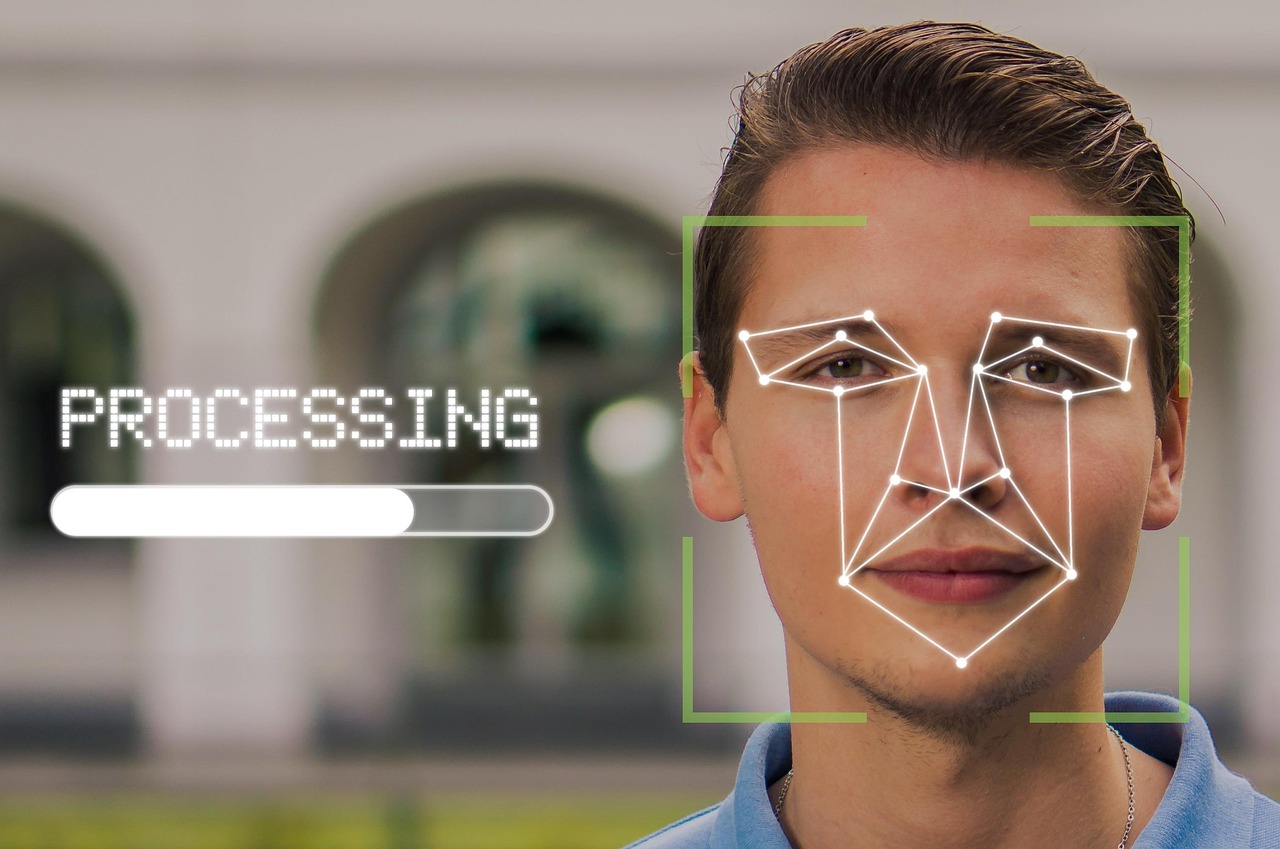
Facial recognition does not 'see' a face the way a person does. It detects a face in an image or video, maps a set of landmarks - the distance between your eyes, the shape of your jaw, the contours of your cheekbones - and converts that geometry into a numerical template, sometimes called a faceprint. To identify you, the system compares that template against a gallery of stored faceprints and looks for a close match.
There are two broad uses worth separating. Verification (one-to-one) checks that you are who you claim to be, like unlocking your own phone with your face - you opt in and the data usually stays on the device. Identification (one-to-many) scans a crowd or an image and tries to find your identity among many people, often without your knowledge or consent. It is this second kind - mass identification - that raises the deepest privacy concerns, because it can track where you go and who you are with.
Where your face is being scanned
Your face is most exposed in a handful of places. Public and semi-public spaces are increasingly fitted with cameras that can feed live facial recognition; transport hubs, stadiums and city centres are common deployment sites. Online, every clear photo you or others post - tagged group pictures especially - can be scraped to build or train recognition databases. Your own devices add faceprints too, from phone unlock to photo apps that cluster pictures 'by person'.
- Obstruct the geometry: brimmed hats, sunglasses, scarves or masks reduce match accuracy (within local law) - recognition needs a clear, front-facing view
- Choose PIN or password over face unlock where you can, and decline optional face scans at venues or checkpoints when an alternative exists
- Lock down social media: private accounts, no automatic face tagging, and avoid posting clear front-facing portraits publicly
- Strip EXIF/location data from photos before sharing so an image cannot be tied to where and when it was taken
- Use a VPN to hide your IP and network location, breaking the link between your online activity and your physical whereabouts
- Exercise your legal rights: where privacy law allows, request access to and deletion of faceprints held by an operator
Government and commercial databases are the other half of the picture. Driver's licence and passport photos, visa applications and some social media images have all been used to assemble large galleries. You cannot control every database, but you can control how much new, high-quality face data you hand over - and that genuinely changes how easily a system can match you.
How to protect yourself in the physical world
In the physical world, the simplest protections are about angles and obstruction. Recognition accuracy drops when a face is partly hidden, turned away, or poorly lit, so hats with brims, sunglasses, scarves and masks all make a match harder (check local laws, as some places restrict face coverings). Avoid looking directly up into ceiling- or pole-mounted cameras, since most need a reasonably front-facing view.
Be deliberate about where you opt in. You can often choose a PIN or password instead of face unlock on devices and at some checkpoints, and you can decline optional 'face scan' conveniences at venues and airports where an alternative exists. Where you have a legal right to object or request deletion - many privacy laws grant access and erasure rights - using it removes your faceprint from that operator's gallery. Supporting transparency and opt-out rules where you live is the longer-term fix.
How to protect yourself online
Online, the goal is to starve recognition systems of fresh, high-quality images of your face. Lock down social accounts so only people you trust can see and download your photos, turn off automatic face tagging where the platform offers it, and think twice before posting clear, well-lit, front-facing portraits in public. Ask friends not to tag you, and remove tags and photos you can.
Reduce the metadata and tracking that ties a face to a place and time. Strip location data (EXIF) from photos before sharing, and use a VPN to hide your IP address and network location so your browsing and uploads are harder to link back to you. A VPN does not stop a camera from seeing your face, but it breaks one of the easiest links between your online identity and your physical movements - and it is a low-effort habit that protects far more than facial recognition alone.
What AI company policies do and do not cover
The large AI providers do publish rules here. OpenAI's usage policies prohibit building facial recognition databases without the consent of the people in them, prohibit real-time remote biometric identification in public spaces, and disallow profiling individuals from biometric data. Comparable restrictions appear in the terms of other major providers, which is why a general-purpose assistant will normally refuse to tell you who a stranger in a photo is.
It is worth being precise about what that protects. A usage policy is a contractual rule binding the people who use that product, not a technical barrier around your face. It does not stop purpose-built face-search services that scrape the open web, it does not retrieve images that were already collected, and it does not apply to anyone operating outside those terms. Treat it as one constraint on one set of tools, and keep the practical measures above, which do not depend on any company honouring its own policy.
Knowing you are being watched is useful. Knowing which of your own habits makes it easy is more useful still, and it is rarely the one people expect. Situate your own attack surface, 10 questions, about three minutes, no account, no email, nothing stored.
It is worth being precise about what that protects. A usage policy is a contractual rule binding the people who use that product, not a technical barrier around your face. It does not stop purpose-built face-search services that scrape the open web, it does not retrieve images that were already collected, and it does not apply to anyone operating outside those terms. Treat it as one constraint on one set of tools, and keep the practical measures above, which do not depend on any company honouring its own policy.